Tool Optimization — Let the AI Curate Its Toolset
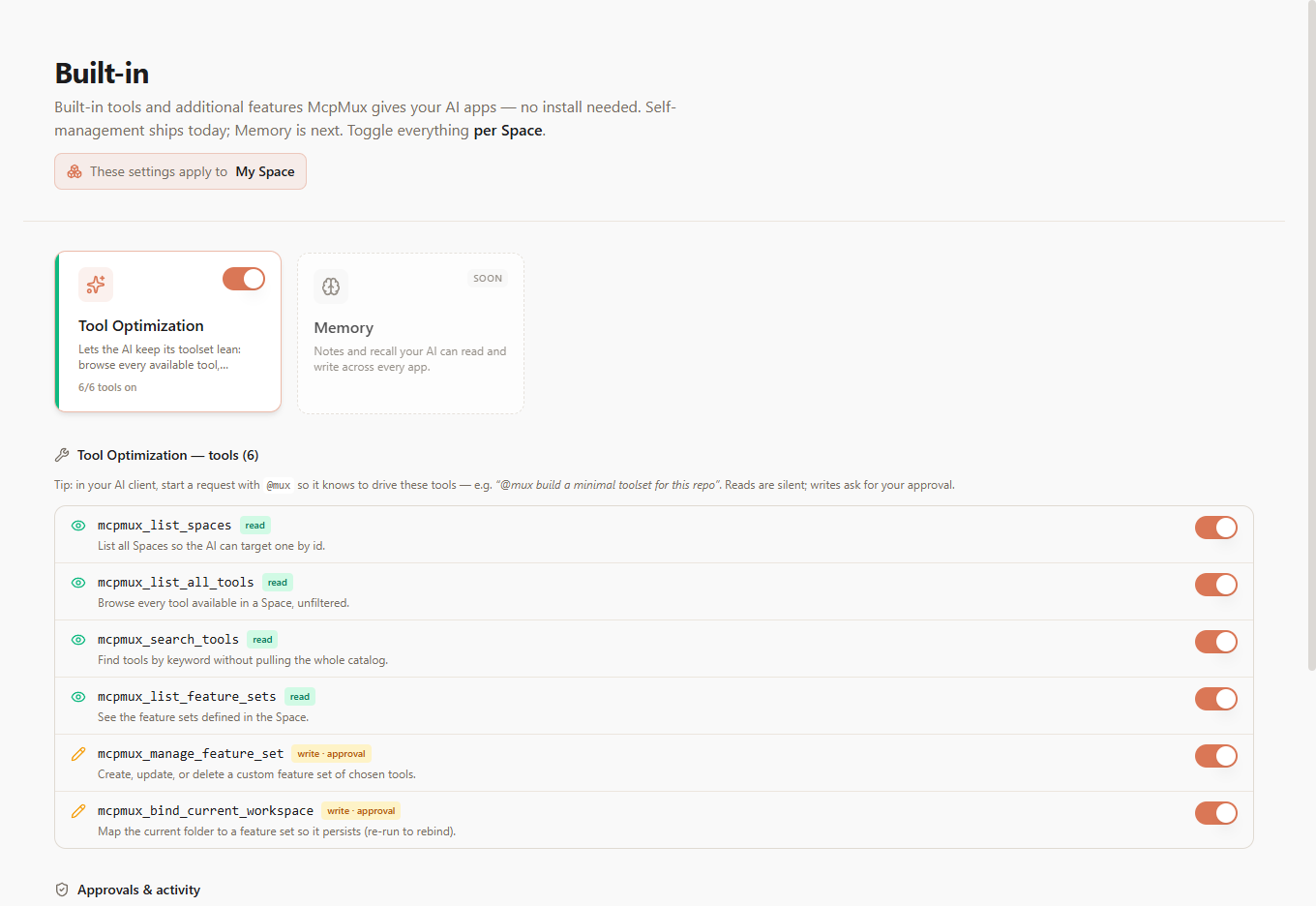
McpMux ships built-in meta-tools so an AI assistant can keep its own toolset lean — discover what's available, compose a focused FeatureSet, and pin it to the current folder, all from chat. Reads are silent; writes are gated by a one-click approval.
Hand an assistant a hundred tools and it burns tokens and reaches for the wrong one. Tool Optimization is a built-in capability that lets the AI keep itself lean — straight from chat, no config files.
It's a per-Space, built-in server McpMux exposes alongside your real MCP servers. Toggle it from the Built-in page.
The @mux trigger
Start a request with @mux and the assistant knows to drive these tools instead of your real ones. The trigger keeps self-management cleanly separated from your actual work:
"@mux build a minimal toolset for this Next.js repo and pin it to this folder."
The meta-tools
| Tool | Access | What it does |
|---|---|---|
mcpmux_list_spaces | read | List all Spaces so the AI can target one by id |
mcpmux_list_all_tools | read | Browse every tool available in a Space, unfiltered |
mcpmux_search_tools | read | Find tools by keyword without pulling the whole catalog |
mcpmux_list_feature_sets | read | See the FeatureSets defined in the Space |
mcpmux_manage_feature_set | write · approval | Create, update, or delete a custom FeatureSet of chosen tools |
mcpmux_bind_current_workspace | write · approval | Map the current folder to a FeatureSet so it persists |
A typical flow: discover what's available (list/search), compose a focused FeatureSet of just the tools needed (manage_feature_set), then pin the current folder to it (bind_current_workspace) so it sticks for every future session.
Reads are silent, writes are gated
Read tools run silently — the AI explores freely. Anything that changes your setup pops a one-click approval dialog that names the exact Space it will affect and shows the precise tool diff. The AI proposes; you decide.
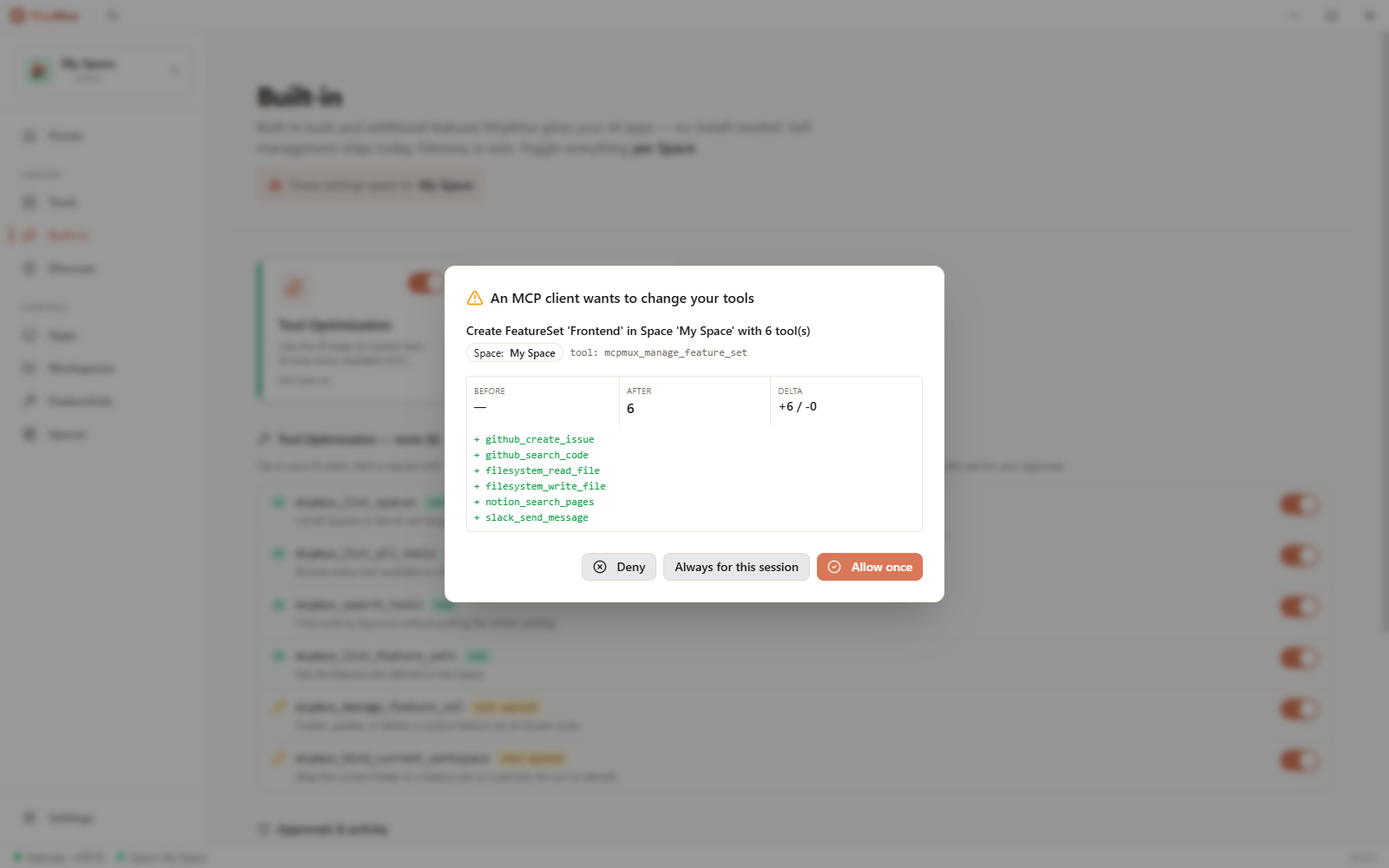
Every operation can target a specific Space by id, so the AI can curate one context without touching another. An audit log records each approved change.
Next steps
- FeatureSets — the curated toolsets the AI composes
- Workspaces — what
bind_current_workspacepins a folder to - Spaces — the contexts every meta-tool operation targets by id
Server Management
Install, configure, and manage MCP servers in McpMux. Supports stdio and HTTP transports with encrypted credential storage, environment variable overrides, and OAuth authentication.
Gateway — Local MCP Proxy
The McpMux Gateway runs on localhost:45818 and routes MCP requests from AI clients to the correct servers with automatic authentication and permission filtering.