What is McpMux
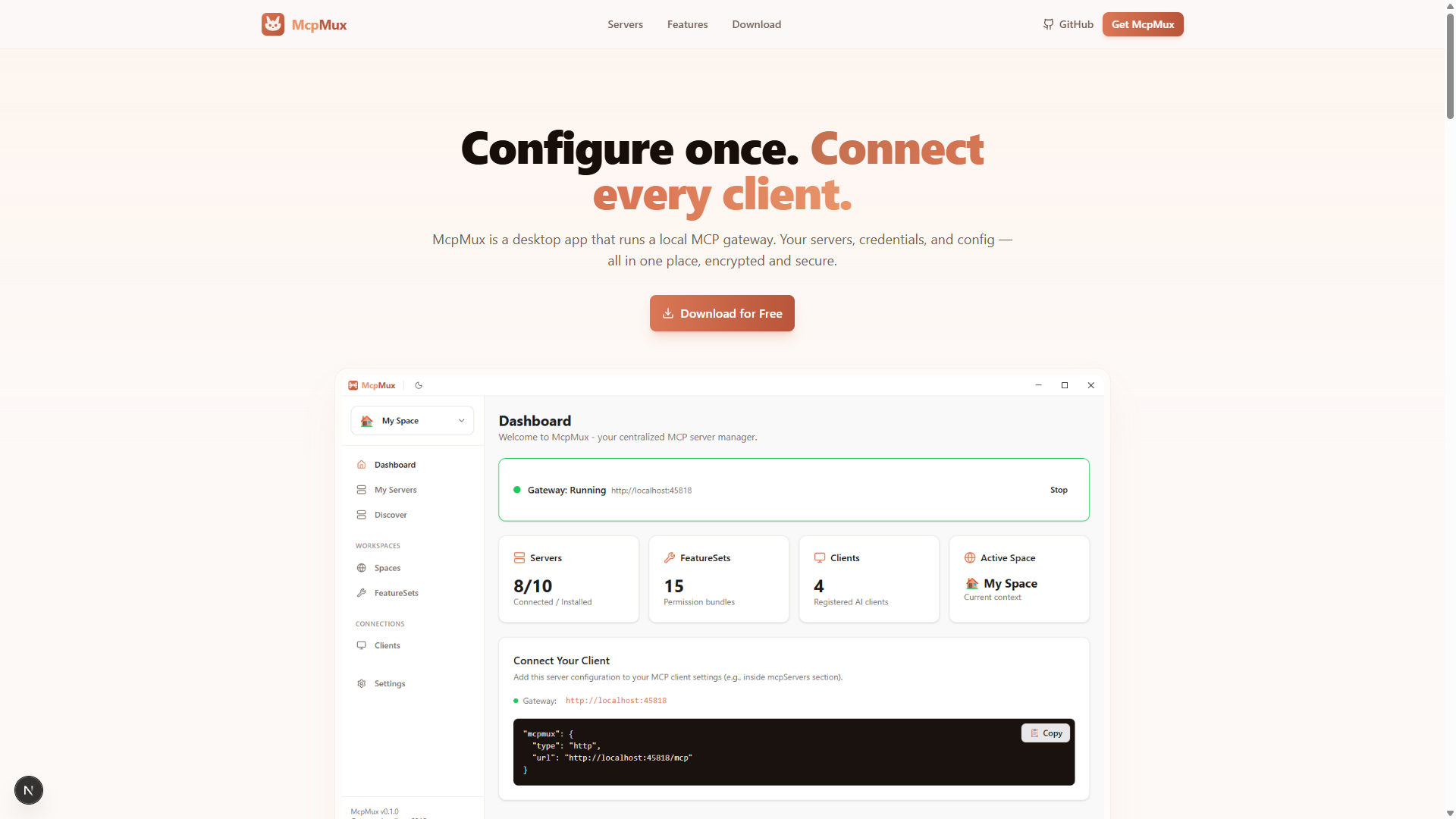
Configure MCP servers once, connect every AI client through a single endpoint. McpMux is a free desktop app and local gateway for MCP server management with encrypted credential storage.
The Problem
Every AI-powered development tool — Cursor, Claude Desktop, VS Code, Windsurf, ChatGPT, JetBrains — requires its own MCP server configuration. This means:
- Duplicate configurations across every tool, each with slightly different JSON formats
- Plaintext credentials scattered in config files on disk
- No access control — every client sees every tool from every server
- Manual context switching when moving between work, personal, and client projects
- No visibility into which servers are connected or what tools are available
The Solution
McpMux is a free, open-source desktop app that solves all of these problems. Configure your MCP servers once in McpMux, then connect every AI client through a single localhost:45818 endpoint.
AI Clients (Cursor, Claude, VS Code, …)
        ↓
McpMux Gateway (localhost:45818/mcp)
        ↓
MCP Servers (GitHub, Slack, PostgreSQL, …)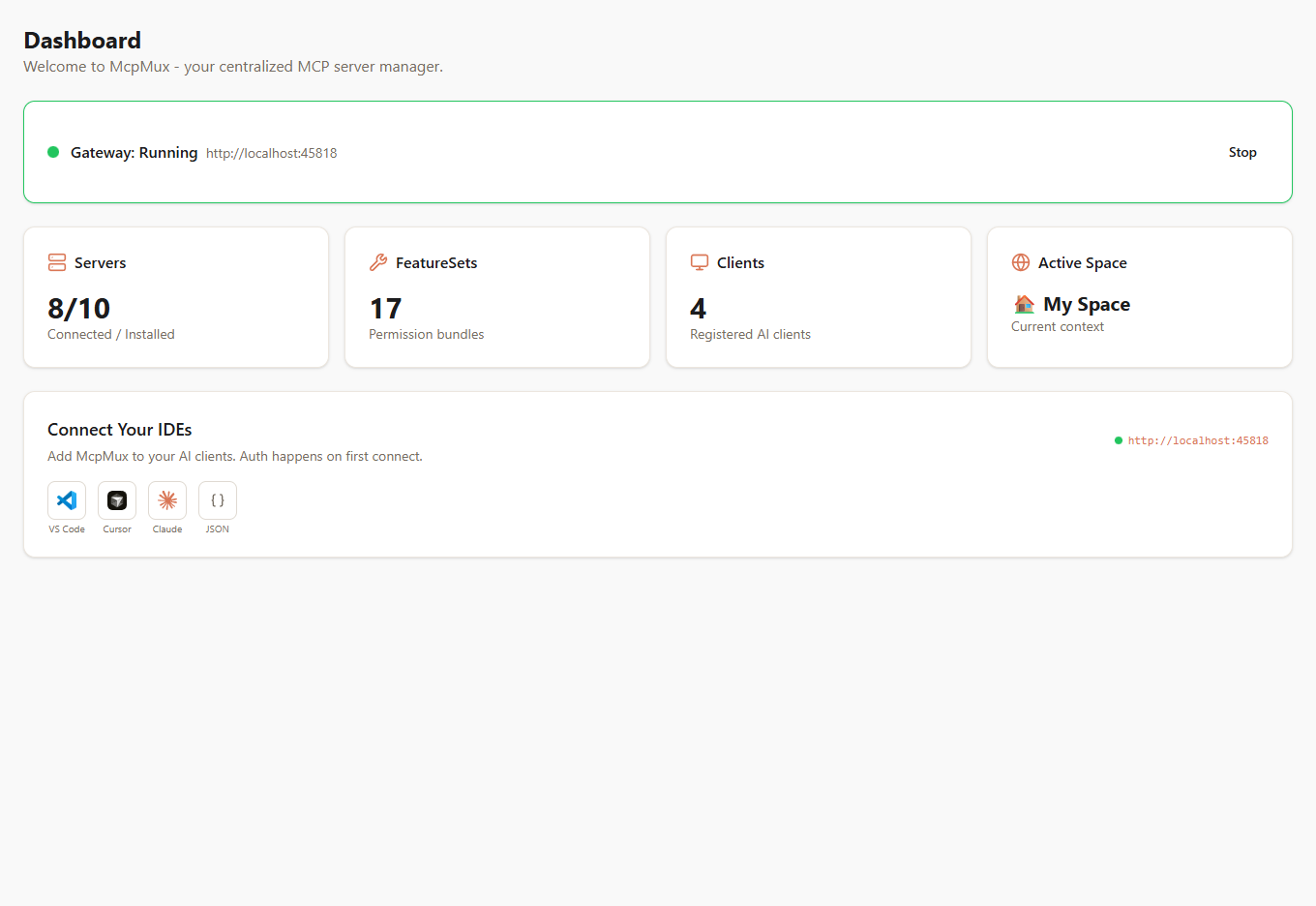
McpMux sits between your AI clients and your MCP servers. It handles:
- Routing — directs each MCP request to the correct server
- Authentication — manages OAuth tokens, API keys, and credentials
- Permissions — controls which tools each client can access via FeatureSets
- Encryption — stores all credentials with AES-256-GCM in the OS keychain
- Isolation — separates environments with Spaces (work, personal, client projects)
Key Concepts
Spaces
Isolated workspaces with separate server configurations and credentials. Keep your work GitHub token completely separate from your personal one.
FeatureSets
Permission bundles that control which MCP tools, resources, and prompts each AI client can access. Create read-only views, role-based access, or domain-specific bundles.
Clients
AI applications connected to McpMux. Configure connection modes (follow active Space, lock to a Space, or ask on change) and assign permissions per Space.
Servers
MCP servers installed and managed through McpMux. Supports both local stdio servers and remote HTTP endpoints with automatic credential injection.
Gateway
The local HTTP server running on localhost:45818 that routes MCP requests, manages OAuth tokens, filters tools by permissions, and pools server connections.
Supported Clients
McpMux works with every MCP-compatible AI client:
- Cursor — AI code editor
- Claude Desktop — Anthropic's desktop app
- Claude Code — CLI coding assistant
- VS Code — with GitHub Copilot or Cline extensions
- ChatGPT Desktop — OpenAI's desktop app
- Windsurf — AI-powered IDE
- JetBrains IDEs — IntelliJ, WebStorm, PyCharm, and more
- Zed — next-generation code editor
- Gemini CLI — Google's command-line AI
Get Started
Ready to try McpMux? Follow the Getting Started guide to install the app, add your first MCP server, and connect your AI client in under 5 minutes.